
How to Use the BettorEdge Telegram Bot (Free Sports Betting Odds)
Get free sports betting odds in Telegram: open @BettorEdgeBot, send /odds and a team, tap I'm on to make your pick, and add the bot to your group chat for a leaderboard. No account needed.
Before you start
- •The bot is free and needs no account: odds, picks and leaderboards all work without signing up for anything.
- •It works in a private chat with the bot, in any group you add it to, and in any chat at all by typing @BettorEdgeBot.
- •In groups it runs in Telegram's privacy mode: it only sees commands sent to it, never your group's messages.
Prerequisites
- •Telegram on your phone, computer or web.telegram.org.
- •For a group leaderboard: a Telegram group you can add members to.
- 1
Open @BettorEdgeBot and tap Start
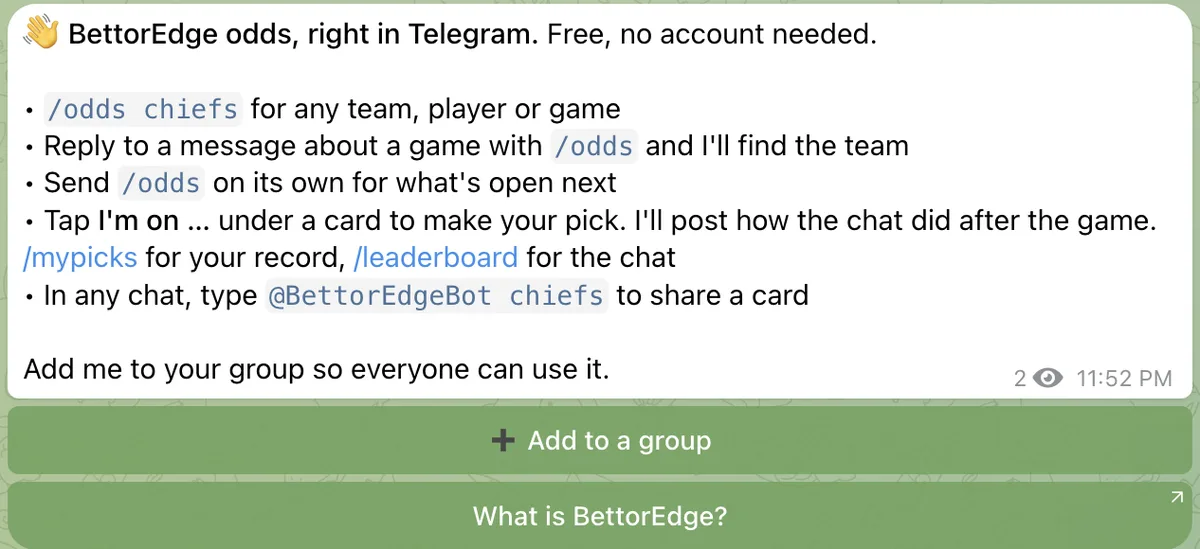
Open t.me/BettorEdgeBot (or search BettorEdgeBot in Telegram) and tap Start. The bot replies with everything it can do and buttons to add it to a group.
- 2
Send /odds and a team, player or game
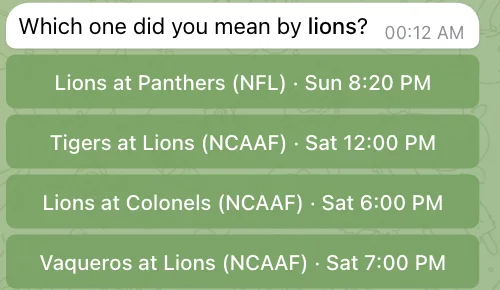
Type /odds and a name, like /odds chiefs, /odds mahomes or /odds lions. One clear match goes straight to the odds. If the name fits more than one team, the bot lists the games with open lines: tap the one you mean.
- 3
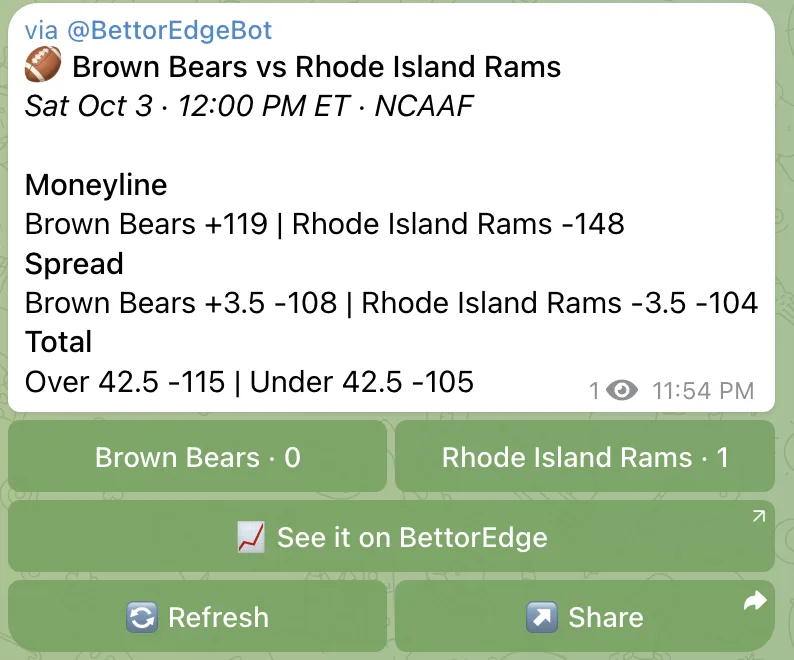
Read the odds card
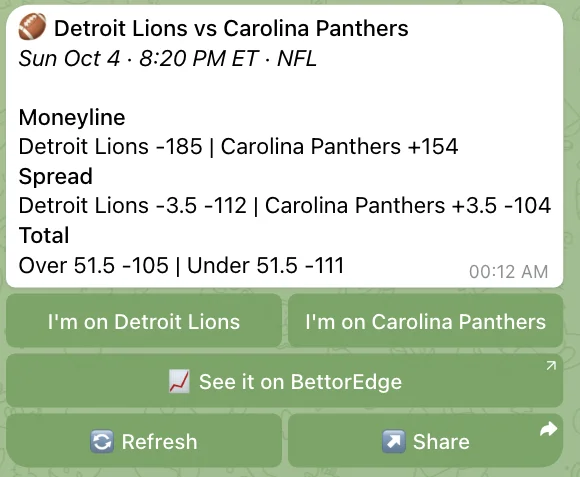
The card shows the moneyline, the spread and the total for the game, plus top player lines when they're posted, with the kickoff time in Eastern. See it on BettorEdge opens the game on BettorEdge; Refresh pulls the latest prices.
- 4
Tap I'm on to make your pick
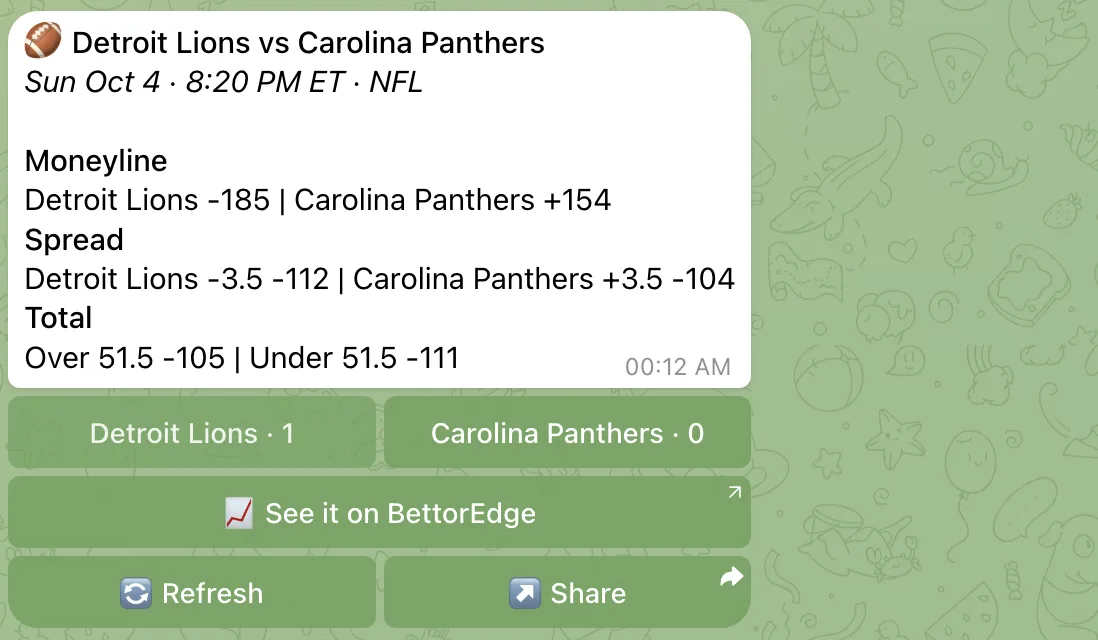
Under every card are two buttons, one per team. Tap one to make your pick. The buttons update to show how the chat is split, you can switch sides until kickoff, and after the final the bot replies to the card with how the chat did.
- 5
Add the bot to your group chat
Tap Add to a group in the bot's welcome message (or open the bot's profile and choose Add to Group) and pick your chat. Then anyone in the group can send /odds, everyone's picks count toward the group, and /leaderboard ranks the chat over the last 30 days.
- 6
Share odds in any chat with @BettorEdgeBot
In any chat, even one without the bot, type @BettorEdgeBot and a team, like @BettorEdgeBot bills, wait a second, and tap the card to send it. It arrives with the same pick buttons.
- 7
Check your record with /mypicks
Send /mypicks for your record, win rate, fan-favorite team and open picks. In a group, the bot sends it to you privately so the chat isn't cluttered.
Tips
- •Send /odds on its own to see the next games with open lines, then tap one.
- •Reply to any message about a game with /odds and the bot finds the team being talked about.
- •Tap Refresh on a card for the latest prices. Picks lock when the game starts.
- •In a group, dead-end replies like "couldn't find that team" delete themselves after 30 seconds so the chat stays clean.
- •Follow t.me/BettorEdgeOdds for the day's top games every morning, with picks and results.
Questions
Is the BettorEdge Telegram bot free?+
Yes. Odds, picks and leaderboards are free, and you don't need an account to use any of them.
Which sports does it cover?+
Every league with open markets on BettorEdge: NFL, college football, NBA, WNBA, MLB, NHL, UFC, soccer and more as seasons open.
Does the bot read my group chat?+
No. It runs in Telegram's privacy mode, so it only sees commands sent to it, replies to its own messages and its button taps.
Can I place bets in Telegram?+
No. The bot shows odds and runs free picks; there are no deposits or wagers in Telegram. To trade on a game, tap See it on BettorEdge to open it on BettorEdge, the peer-to-peer sports marketplace.
Why did the bot say there are no lines yet?+
Markets usually open a few days before a game. The bot tells you when the team plays next; try again closer to game time, or send /odds for what's open now.
Expected outcome
You can pull live odds for any game, make picks with one tap, see your record with /mypicks, and run a pick'em leaderboard in your group chat.
Open the bot in Telegram.
Free odds and one-tap picks for any game. No account needed.